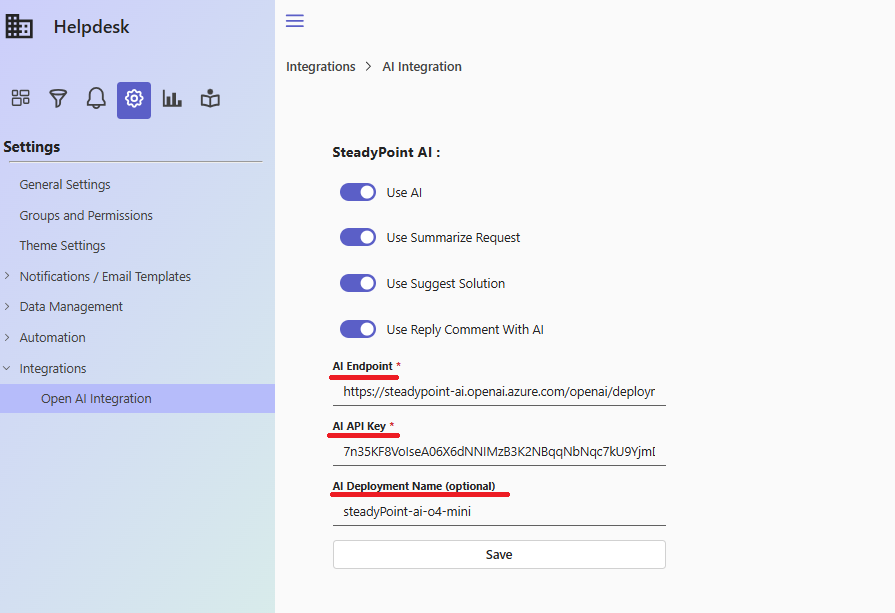
SteadyPoint Helpdesk is a modern ticketing solution designed to help teams manage, track, and resolve requests efficiently—all from a single, user-friendly platform.
To further enhance productivity and response quality, we have integrated AI capabilities into SteadyPoint Helpdesk. With AI, teams can now:
- Automatically summarize tickets based on the title and description
- Receive AI-suggested solutions to help resolve issues faster
- Generate AI-powered replies to ticket comments, saving time and ensuring consistency
This integration helps support teams work smarter, reduce manual effort, and deliver faster, more accurate responses.
Table of Contents
How to Configure AI Integration in SteadyPoint Helpdesk
Below are the steps to connect Azure OpenAI with SteadyPoint Helpdesk and enable AI features.
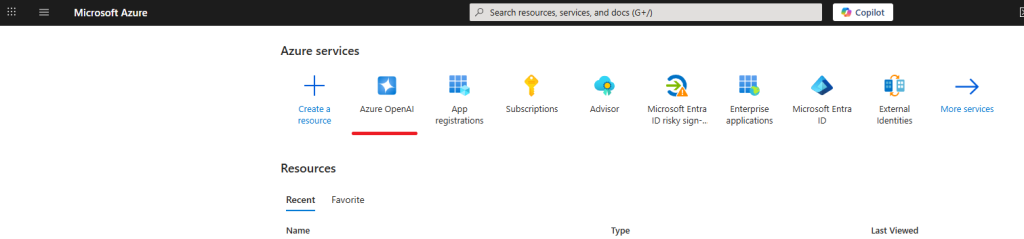
- Go to portal.azure.com and find Azure OpenAI
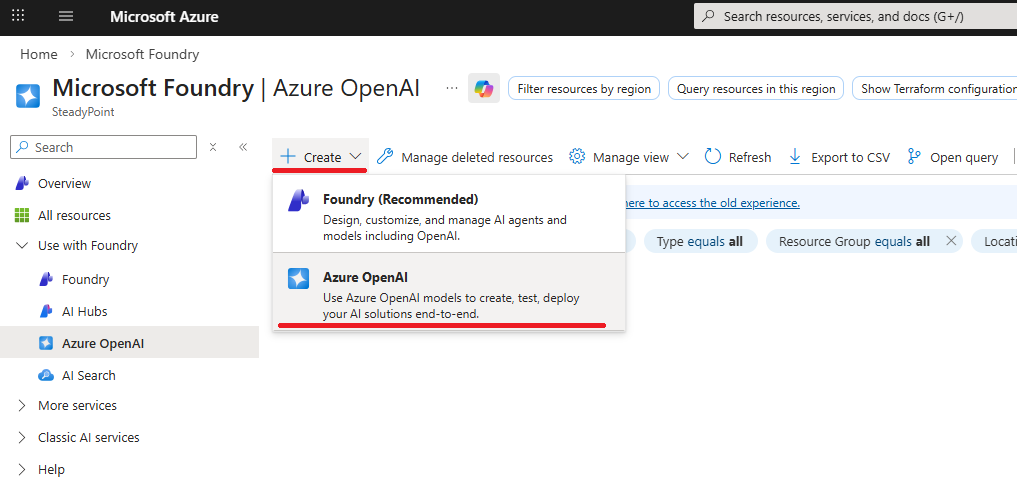
- Create Azure Open AI
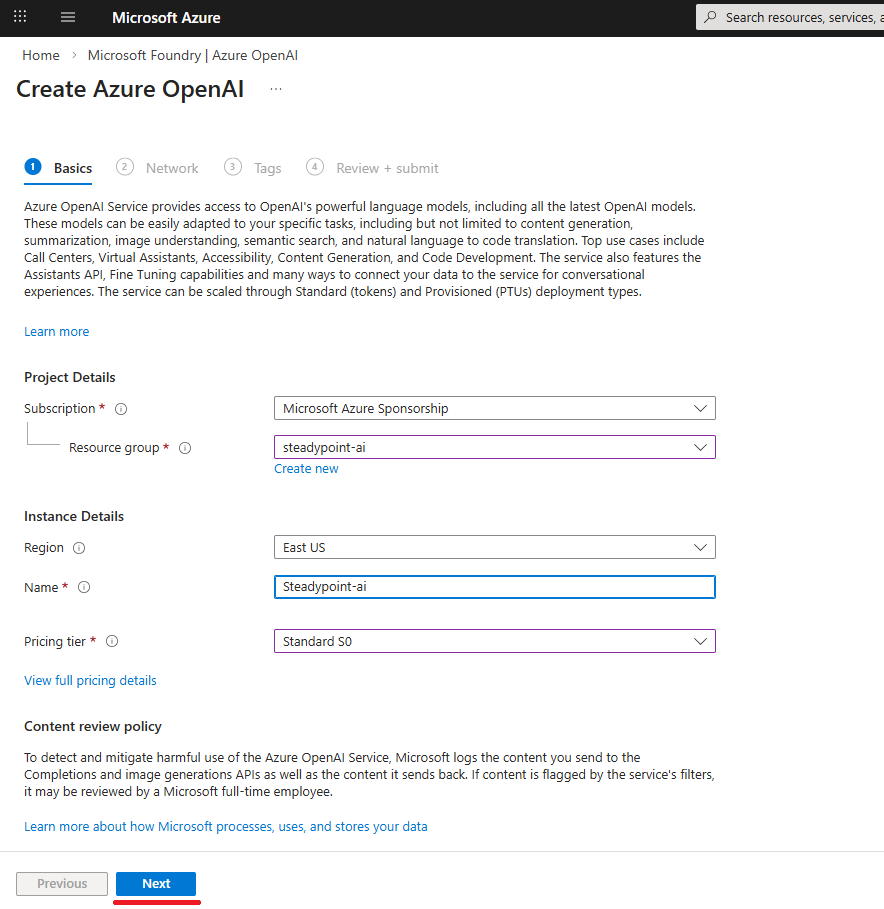
- Fill in the required information, then click Next
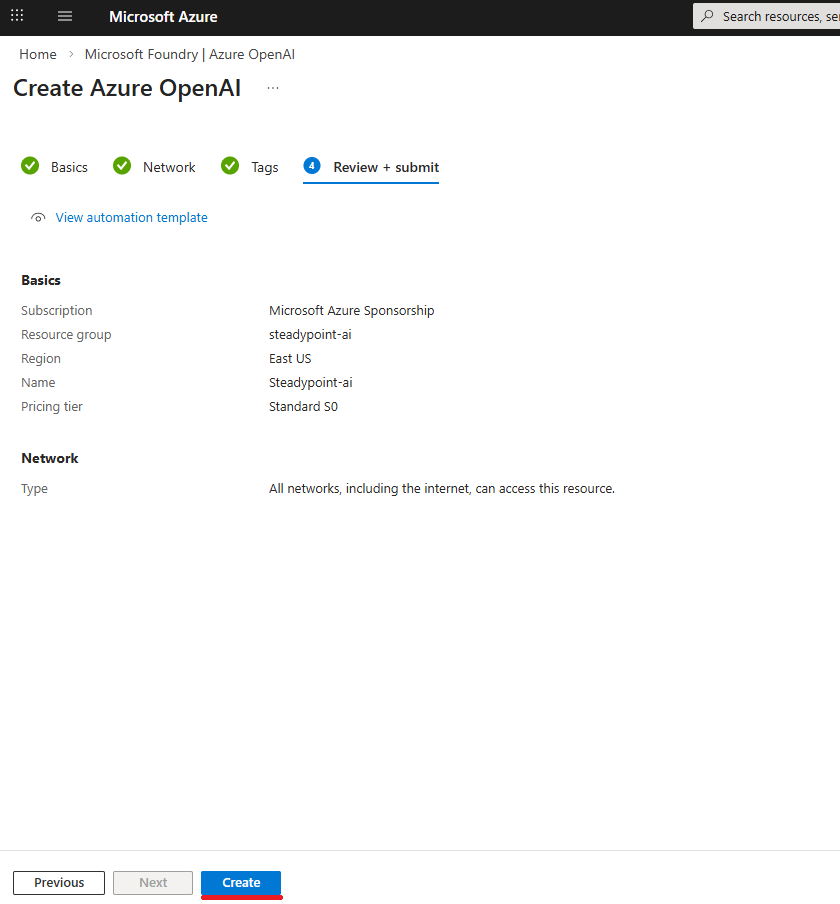
- Click Create
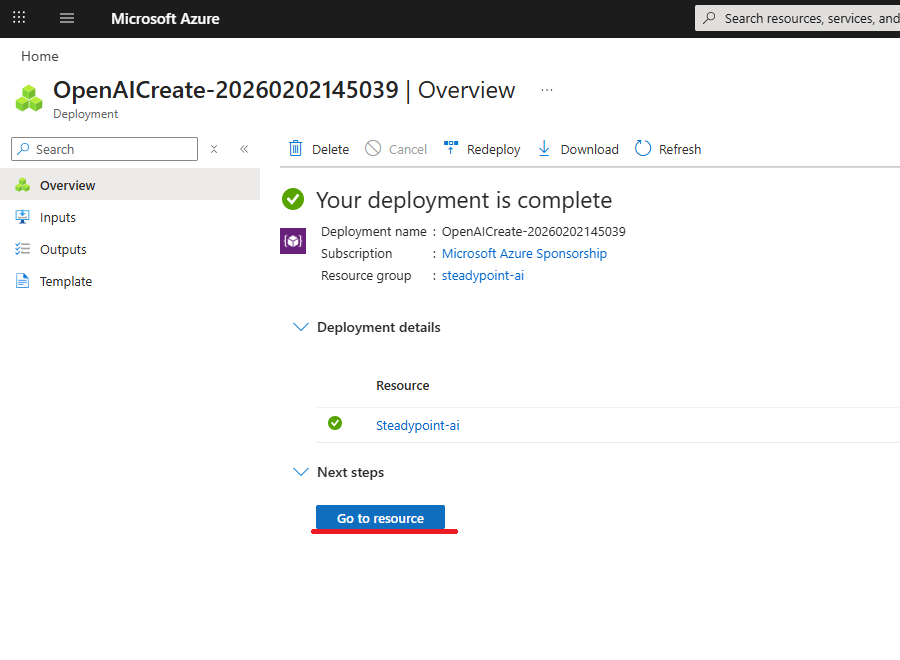
- Click Go to resource
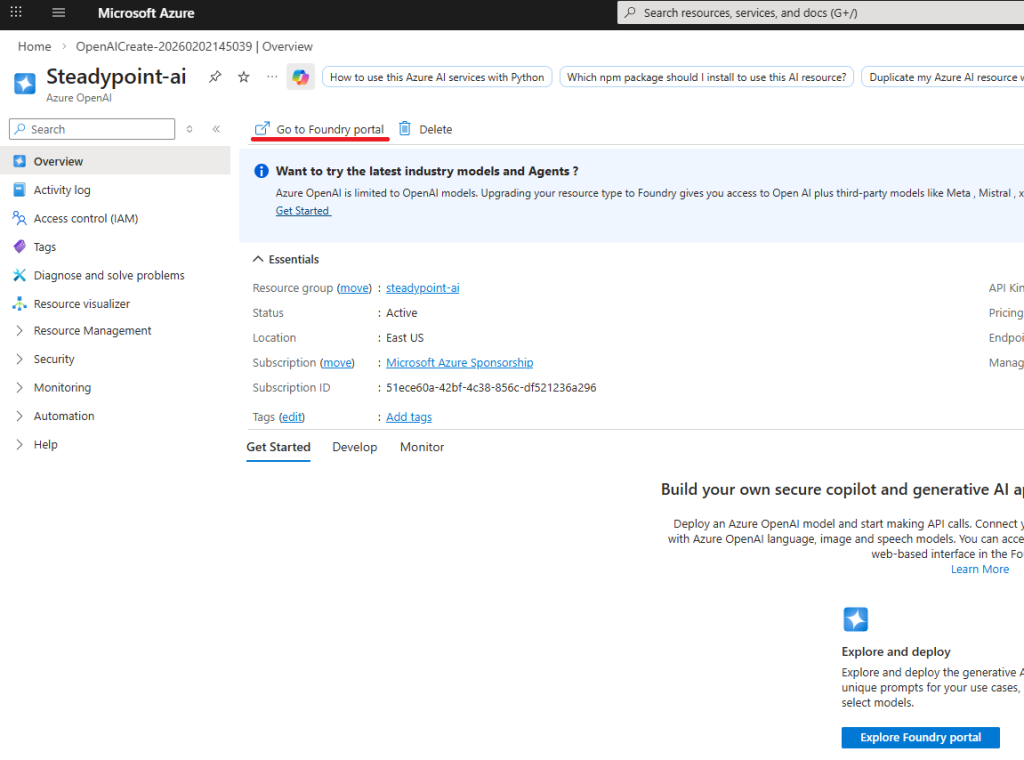
- Click Go to Foundry Portal
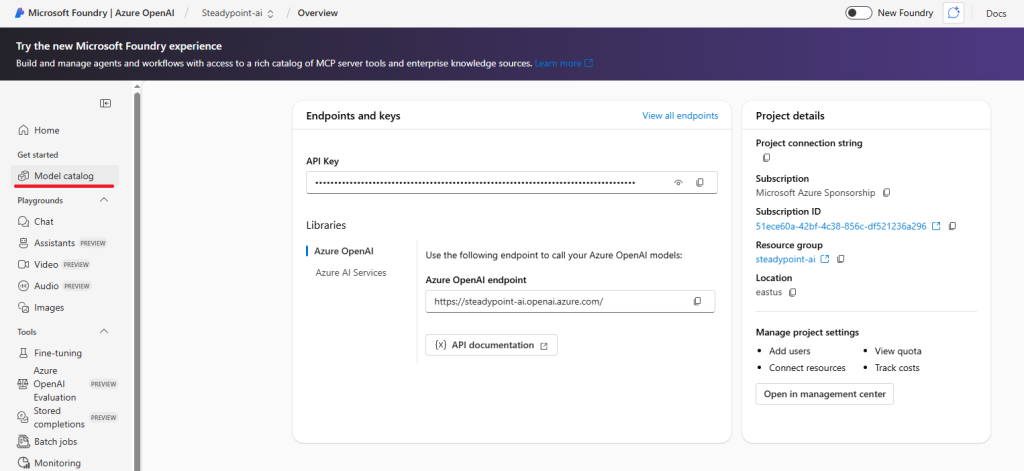
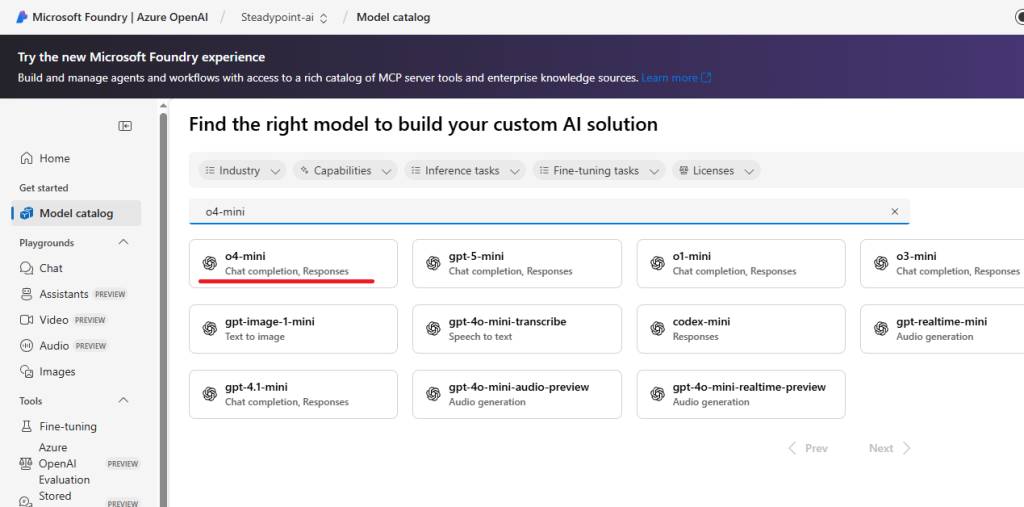
- Click Modal Catalog
- Find o4-mini
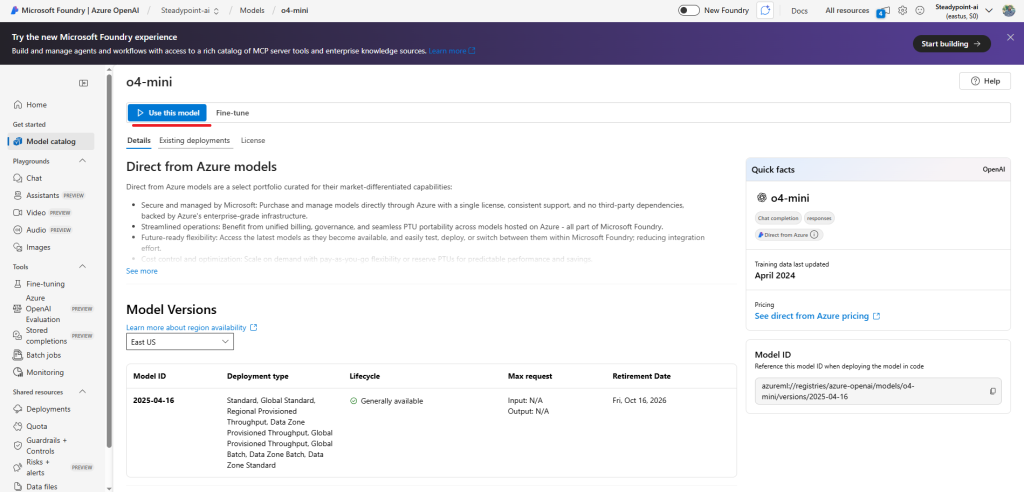
- Click Use this model
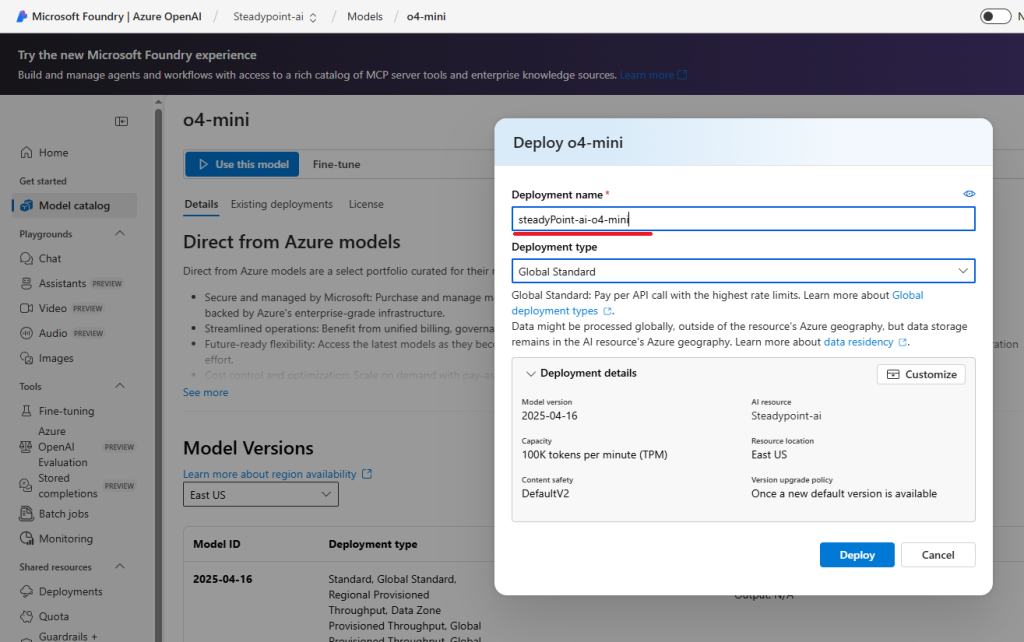
- Type the Deployment Name
- Copy Target URL & key & Deployment name
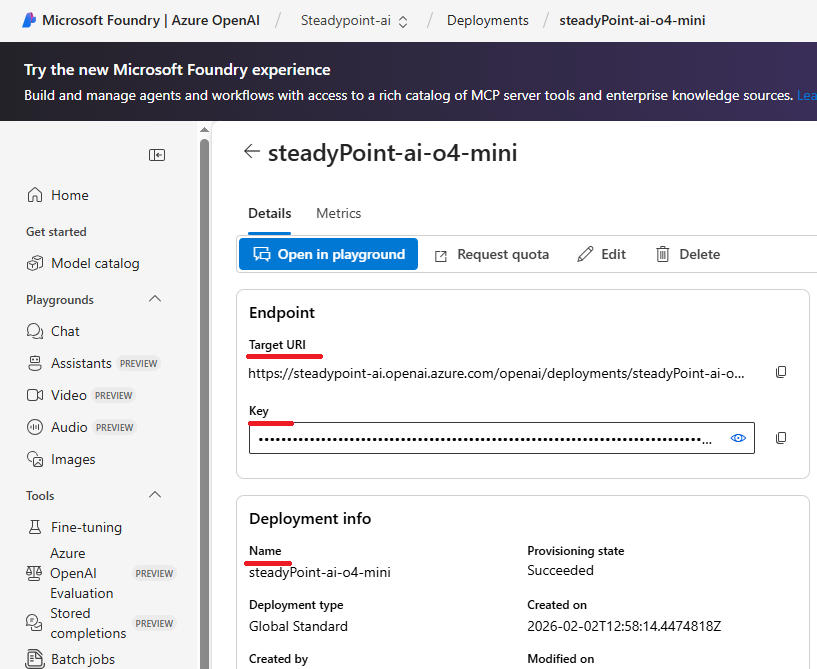
- Add these values to the system